
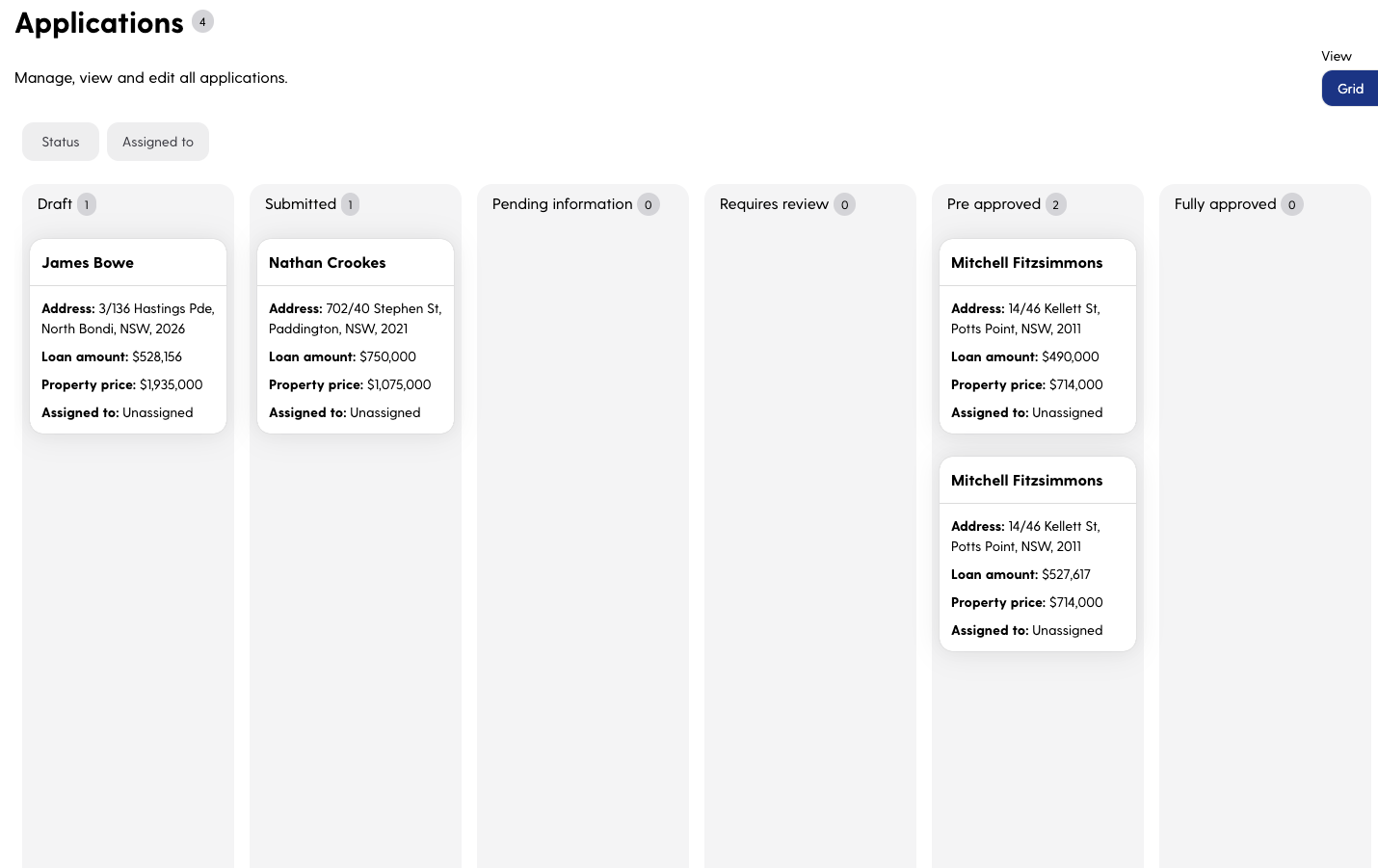
The application dashboard from your perspective is broken up into multiple parts or tiles. We have the application summary, Comments, property details, Applicant information, Product & loan Details, our compliance tab, Financial situation, application documents and outgoing and completed tasks.
Use this file to discover all available pages before exploring further.
Application Summary
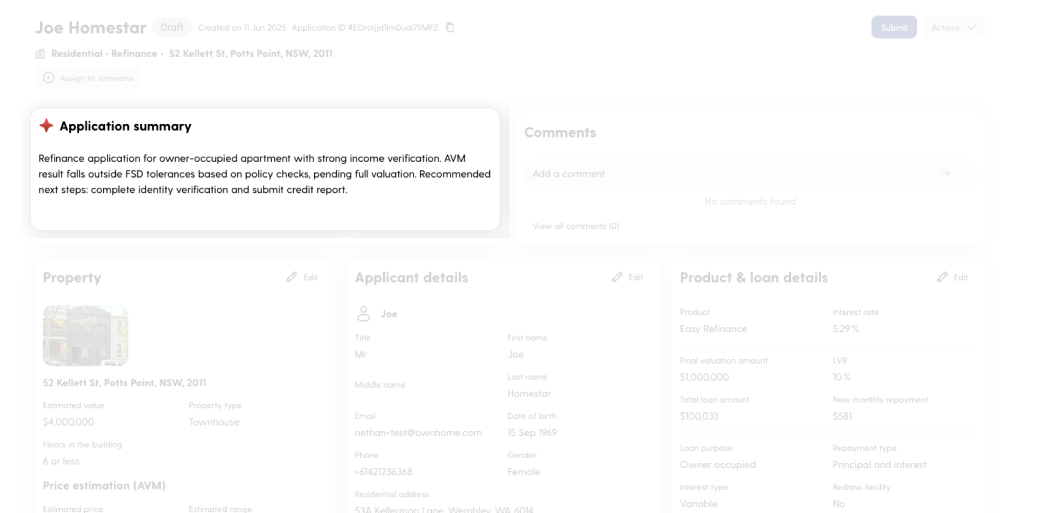
The Application Summary tile is powered by our AI Copilot and provides a concise, high-level overview of the loan application. It highlights key information, including any early flags or potential issues identified by the system. This view is designed to help credit analysts quickly understand the state of the application and identify priority actions or areas that require further review.
Comments
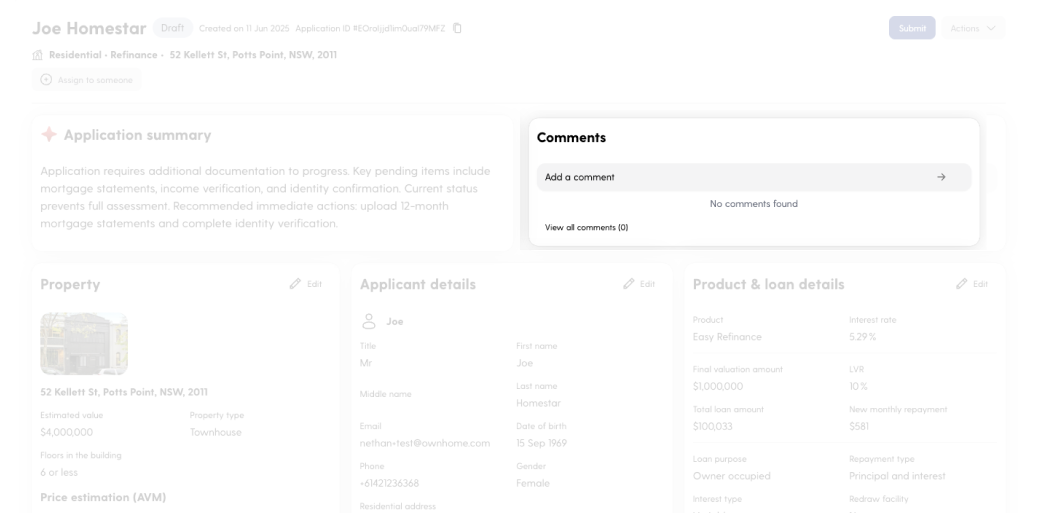
The Comments tile enables users to leave internal notes directly on the application at any stage of the process. It’s a simple but powerful tool for collaboration, allowing team members to flag issues, share context, or leave reminders for colleagues.Use comments to maintain a clear record of internal communication and ensure continuity across handovers or multi-analyst workflows.
Property Details
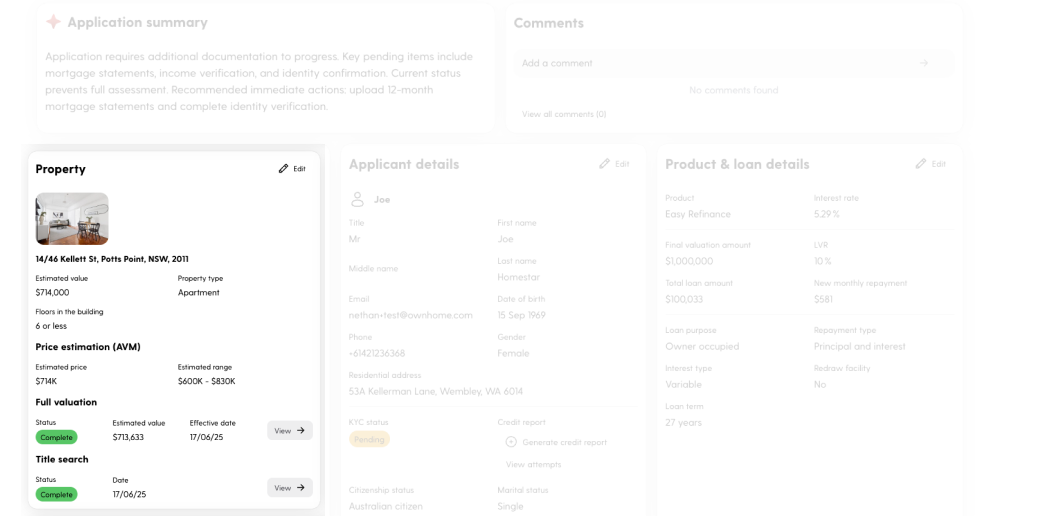
The Property Details tile provides a comprehensive overview of the property being used as security for the loan. It includes:
Applicant-entered property details, such as address, property type, and estimated value
Automated Valuation Model (AVM) results for instant value validation
Title search information confirming ownership and any encumbrances
This tile gives credit teams a centralised view of the property to assist with valuation, risk assessment, and servicing decisions. It forms a critical part of the overall application evaluation process.
Application Details
The Applicant Details tile contains core personal and financial information for each applicant, whether single or dual. This includes identity information, contact details, and credit report.From this tile, credit teams can also view or order credit reports, with summaries enhanced by our AI analyser to flag potential risks or anomalies.
Product and Loan Details
The Product & Loan Details tile summarises the key attributes of the selected loan product and structure. It includes:
Loan product and interest rate
Final valuation amount, loan amount, and new monthly repayment
Loan-to-Value Ratio (LVR)
Loan purpose, repayment type, and interest type
Redraw facility availability
Loan term
This tile provides a snapshot of the financial structure and terms of the loan, helping credit teams quickly verify alignment with policy requirements and assess overall suitability.
Compliance
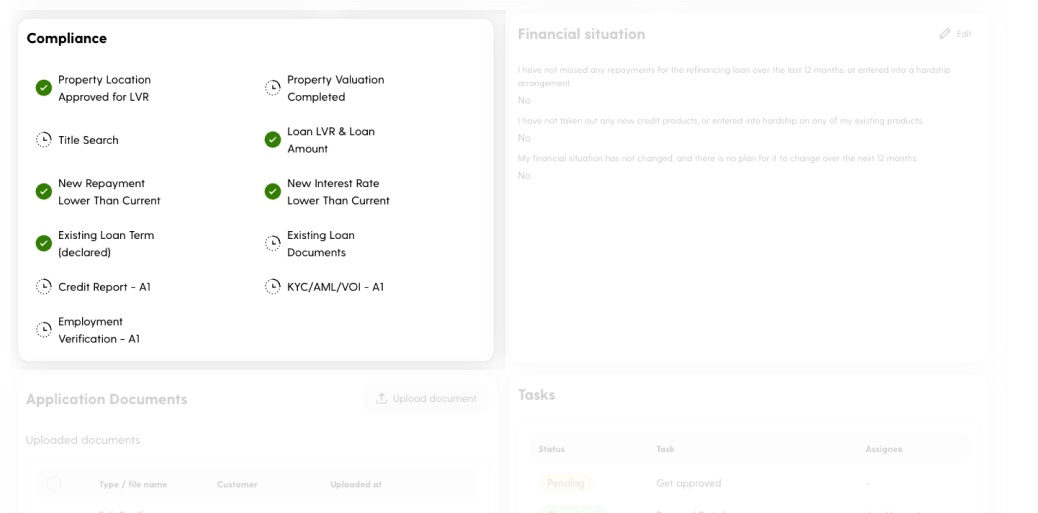
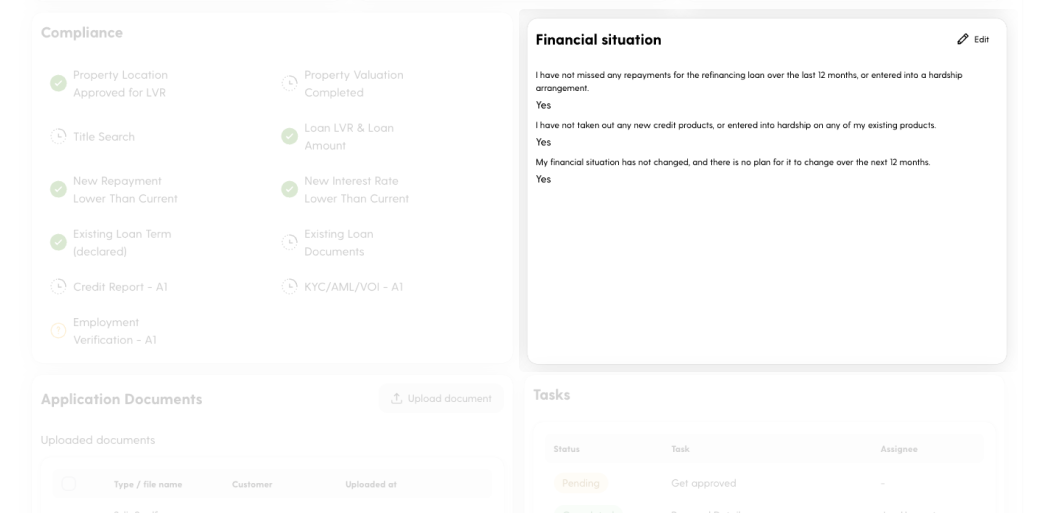
The Compliance tile acts as the central hub for all regulatory and policy-related checks required during the application process. It consolidates key information from across the dashboard and is continuously updated as applicants upload documents and complete tasks.This tile also surfaces documents analysed by our AI Copilot, highlighting any flagged items or gaps in compliance. Hovering over any check reveals detailed commentary explaining the rationale behind the result. It enables credit teams to easily monitor, verify, and action any outstanding compliance requirements from a single view.
Financial Situation
This tile provides early visibility into potential credit risk factors and helps credit teams assess the stability and reliability of the applicant’s financial position.
Application Documents
The Application Documents tile is where all required supporting documents are uploaded by the applicant. This includes identity verification, income evidence, loan statements, and other mandatory documentation.Uploaded files are stored and displayed in one central location for easy access and review by credit teams. Documents submitted are analysed by our AI copilot to assist with validation and compliance.
Tasks
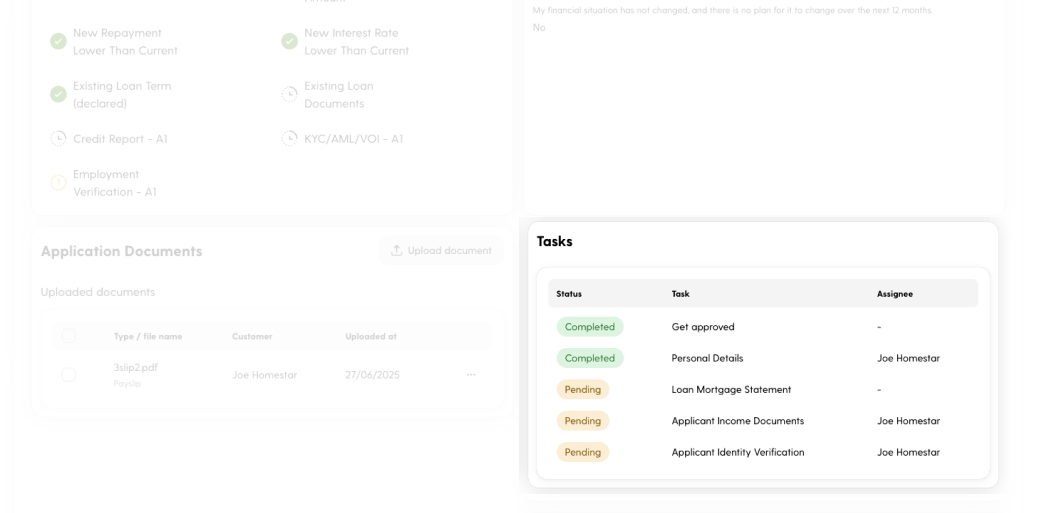
The Tasks tile provides a real-time view of all actions required to progress the application. It outlines each task’s status, the assigned party, and the nature of the task.This section is designed to keep both applicants and credit teams aligned on next steps, helping streamline communication, reduce delays, and ensure nothing is missed in the application journey.
Current Loan Details
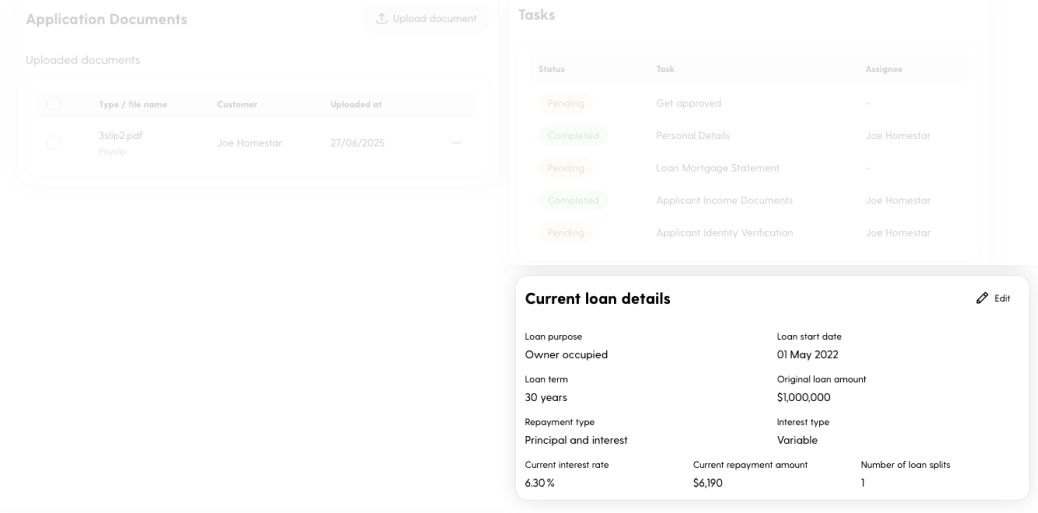
This tile provides essential context for refinancing assessments and helps credit teams evaluate the applicant’s existing obligations and repayment behaviour.